
.jpg)
Order Desk print on demand
Order Desk: one route for more sales channels.
Use Order Desk as the link between your ecommerce platform and Two Fifteen. Route prepared orders to us for printing, packing and dispatch, then let shipment details travel back through Order Desk.
One route from more places
Order Desk sits between the channel you sell through and the team that makes the order.
Two Fifteen’s Order Desk integration gives platforms without a direct connection a practical route into print-on-demand fulfilment. The current Two Fifteen page names examples including Squarespace, eBay, Amazon, Big Cartel and Magento.
Your customer still buys through the sales channel you manage. Order Desk carries prepared order and print information to Two Fifteen, while shipment details can return to the original shopping cart.
Connect Order Desk.jpg)
From sales channel to customer delivery

.jpg)
Connect the route
Create an Order Desk account, connect the ecommerce channel you use, then enable Two Fifteen as the print-on-demand destination.
.jpg)
Prepare each item
Map the Two Fifteen product code, artwork file, print location and any required print type so Order Desk can submit a print-ready item.
.jpg)
Send, fulfil and update
Order Desk sends prepared orders to Two Fifteen. We print, pack and dispatch them; shipment details return through Order Desk as the finished product reaches the customer.
Three systems, three clear jobs
Keep selling, routing and fulfilment responsibilities easy to understand.
Order Desk does not replace your storefront or your production partner. It connects them.
.jpg)
Your sales channel
Your customer-facing catalogue, checkout and relationship stay where you sell.
.jpg)
Order Desk
Order Desk centralises order data, applies routing settings, passes prepared orders onwards and receives shipment updates.
.jpg)
Two Fifteen
Two Fifteen prints the product, packs it using white-label fulfilment and dispatches it to the customer.
Give every item clear production data
A reliable route depends on the details attached to each order line.
Order Desk’s Two Fifteen integration accepts the Two Fifteen product code, an artwork file link, print location and print type as item data. The current guide allows up to five artwork links with matching print locations when a product needs more than one decorated area.
Shipping methods need the same care. Choose a default ship class and match the names used by your sales channel to the Two Fifteen method names where required.
.jpg)
What this Order Desk route can handle

More selling channels
Use Order Desk to bridge supported sales platforms that do not connect to Two Fifteen directly.
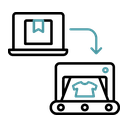
Automatic order hand-off
Prepared orders can pass from Order Desk to Two Fifteen automatically for fulfilment.

Shipment updates returned
Shipment and tracking details can travel back through Order Desk to the original shopping cart.

Print-ready item data
Attach the product code, artwork link, print location and print type needed to make each item.

Multiple print locations
Up to five artwork links can be paired with matching print locations for supported products.

Shipping class matching
Match the shipping names used by the sales channel to the relevant Two Fifteen delivery methods.

UK production
Products are printed by Two Fifteen in its UK production facility rather than outsourced.

Worldwide delivery
Two Fifteen can deliver finished orders to customers across more than 230 countries and territories.
Order Desk print-on-demand questions
What does Order Desk do?
Order Desk acts as the intermediary between a supported sales channel and Two Fifteen. It receives order information, applies the routing and item settings you prepare, and sends eligible orders to Two Fifteen for fulfilment.
Can I use Squarespace with this route?
Yes. Two Fifteen’s current Order Desk page names Squarespace as one example of a platform that can use the route. Connect Squarespace to Order Desk, then connect Order Desk to Two Fifteen.
How do I connect Two Fifteen to Order Desk?
Enable Two Fifteen in Order Desk’s print-on-demand integrations and enter the App ID and Secret Key supplied through your Two Fifteen account. Keep those credentials private.
What item information do I need?
Prepare the Two Fifteen product code, artwork file link, print location and print type for each decorated item. Shipping-class settings may also need to be matched to your sales channel.
Can one item have more than one print location?
The current Order Desk guide allows up to five artwork links with matching print locations. The locations available still depend on the Two Fifteen product you choose.
What happens after an order ships?
Two Fifteen sends shipment details back to Order Desk, which can pass the update to the original shopping cart.