
.jpg)
BigCommerce print on demand
Sell through BigCommerce while Two Fifteen fulfils
Connect your BigCommerce store, create and export products, then let Two Fifteen print, pack and dispatch customer orders on demand.
Keep your BigCommerce shop at the centre
Your customers browse and buy from your BigCommerce storefront. Two Fifteen sits behind it as your print-on-demand production and fulfilment partner.
Connect the two accounts, choose what you want to sell and prepare the customer-facing delivery details without buying a finished product run in advance.
.jpg)
Connect through the app
Install the Two Fifteen app from the BigCommerce App Marketplace, then sign in to your Two Fifteen account to connect the store.
.jpg)
Build a range to sell
Use the Two Fifteen product builder to customise products with your artwork and export the finished listings to BigCommerce.
.jpg)
Fulfil after each sale
Your shop takes the order. Two Fifteen prints, packs and dispatches the product directly to your customer.
Set up the hand-off around your store
The connection joins the customer-facing shop to the production account while keeping each setting in a clear place.
Start with the Two Fifteen app in the BigCommerce App Marketplace and sign in to connect your store. Create products in the Two Fifteen builder, then export them to BigCommerce for sale.
Set customer shipping rates in BigCommerce. Prepare your branded packing slip in your Two Fifteen profile so the fulfilled parcel carries the details your customer should see.
.jpg)
What the BigCommerce integration gives you

Export products to BigCommerce
Create a product in Two Fifteen, apply your artwork and export the completed listing to the connected store.
Online design and mock-up tools
Use the online editor to place artwork, review the product and create realistic lifestyle mockups before publishing.

A varied product catalogue
Build a range across clothing, children's clothing, activewear, accessories, homeware, drinkware, giftware and wall art.

Shipping notifications
The BigCommerce integration supports shipping notifications for fulfilled orders.

Branded packing slips
Create a packing slip in your Two Fifteen profile so customer orders can carry your own brand details.
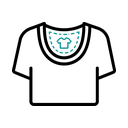
Printed inside neck labels
Suitable T-shirts can carry a full-colour neck label printed directly onto the inner fabric, up to 8 × 8 cm.

Tracked delivery options
Choose from tracked domestic and international shipping options where they fit the order and destination.

Plastic-free mailing bags
Two Fifteen wraps items in tissue paper and ships them in plastic-free mailing bags.
From connection to customer delivery

.jpg)
Connect your store
Install the Two Fifteen app from the BigCommerce App Marketplace, then sign in to your Two Fifteen account to authorise the connection.
.jpg)
Create and export products
Choose a product, add and position your artwork, review the result and export the finished listing to BigCommerce.
.jpg)
Prepare shipping and brand details
Set the shipping rates in BigCommerce and create the branded packing slip in your Two Fifteen profile before you begin taking orders.
.jpg)
Sell while Two Fifteen fulfils
When a customer orders from your store, Two Fifteen prints, packs and dispatches the product directly to them.
Keep your name on the order
The customer buys from your BigCommerce store, and the parcel can carry details from your own brand rather than presenting Two Fifteen as the retailer.
Create a branded packing slip in your Two Fifteen profile. Suitable T-shirts can also use a full-colour inside neck label printed directly onto the inner garment fabric, up to 8 × 8 cm.
Inside neck printing is not available on every garment, and Two Fifteen does not make swing tags.
.jpg)
BigCommerce print-on-demand questions
Can I connect BigCommerce directly to Two Fifteen?
Yes. Install the Two Fifteen app from the BigCommerce App Marketplace, then sign in to your Two Fifteen account to connect the store.
Can I create products in Two Fifteen and send them to BigCommerce?
Yes. Use the Two Fifteen product builder to add your artwork and export the completed product to the connected BigCommerce store.
Do I need to buy finished stock before I sell?
No. Print on demand lets you offer products without buying a finished run in advance; Two Fifteen makes the item after the customer orders it.
Where do I set my shipping rates?
Set the customer-facing shipping rates in your BigCommerce store. Your production and branded packing-slip settings remain in Two Fifteen.
Can fulfilled orders carry my branding?
You can create a branded packing slip in your Two Fifteen profile. Suitable T-shirts can also use an inside neck label printed directly onto the fabric; swing tags are not available.
Does the BigCommerce integration support shipping notifications?
Yes. The official BigCommerce integration lists shipping notifications as supported. The exact delivery update depends on the shipping service used for the order.